0.2.0
- Sample photos that showed third-party brands replaced with original artwork.
- Ships under the Autonnel Marketplace Commercial License: LICENSE file included, package.json licence field points to it.
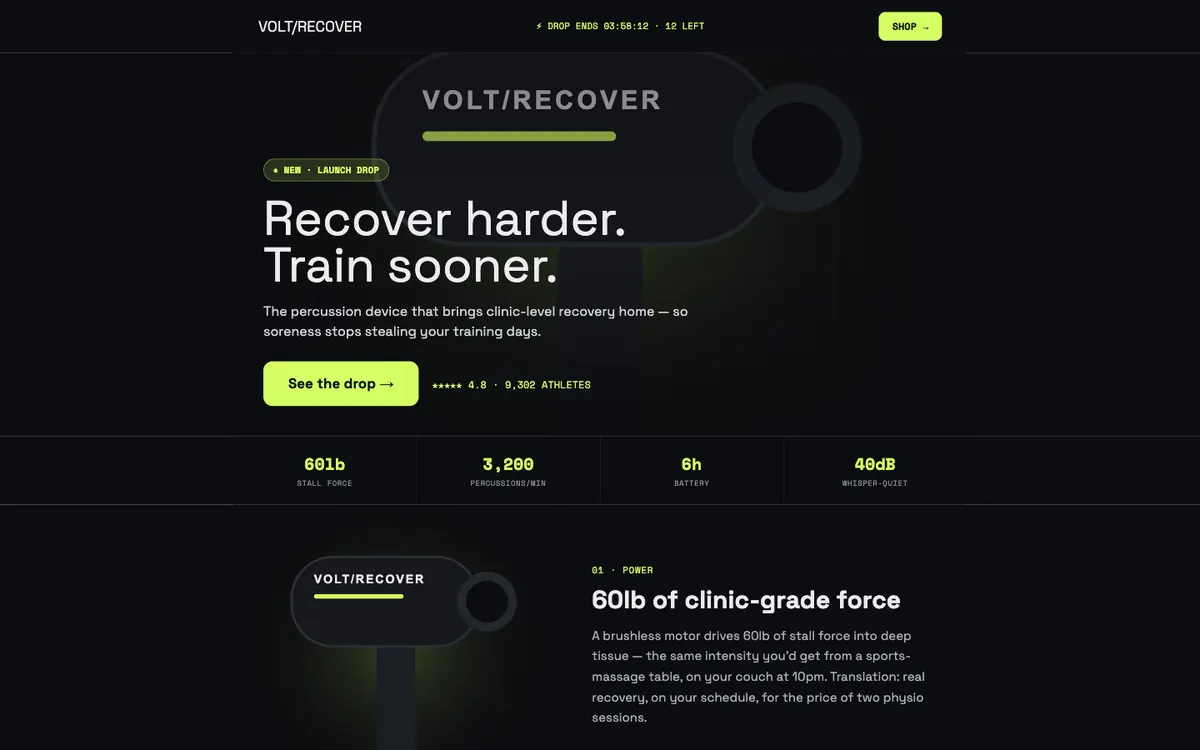
Volt is a dark, neon-accented funnel for a consumer tech product launch, written around a sample percussion recovery device. The landing page is a long scroll of spec stats, feature bands and a comparison table; the checkout keeps the black theme with a lime pay button.
The pack adds four page templates and eight Volt blocks to the Autonnel editor.
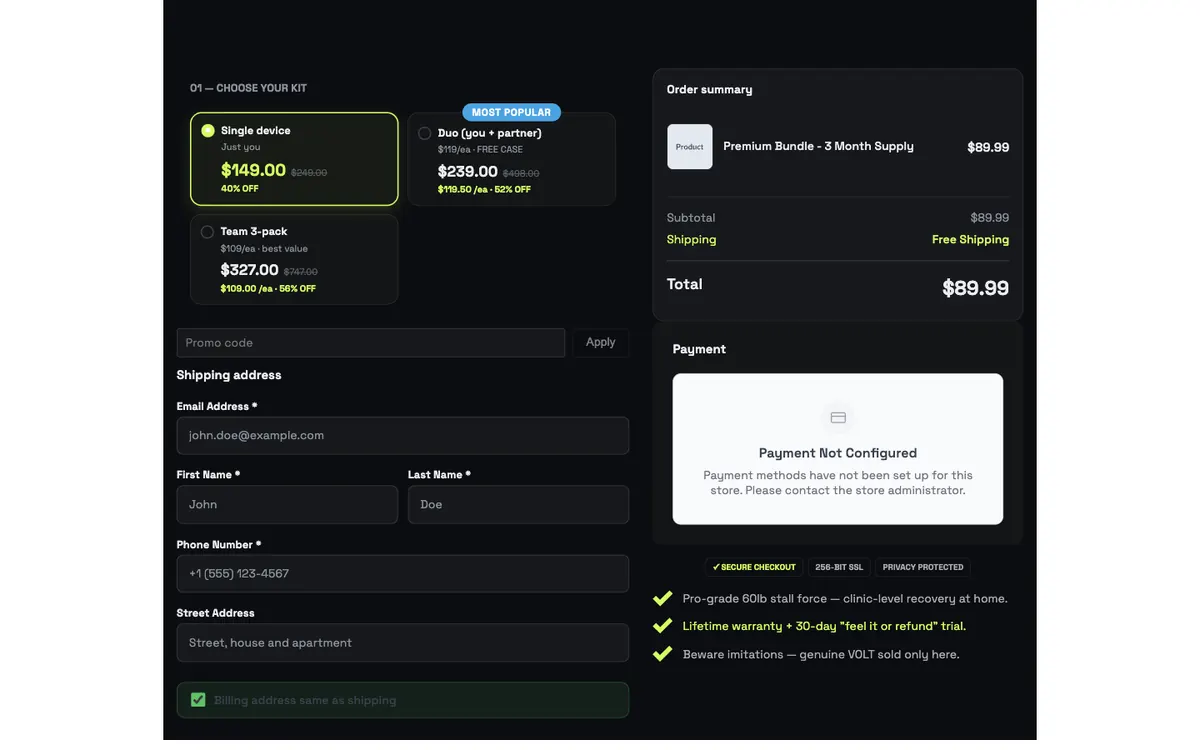
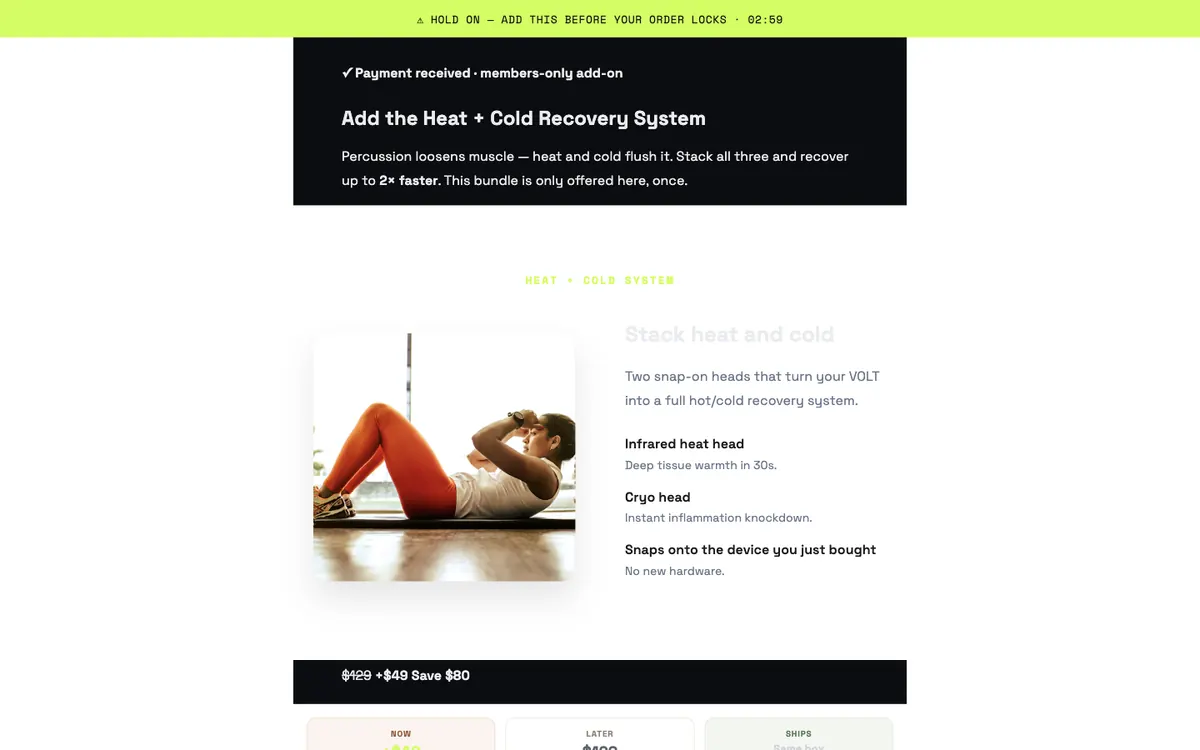
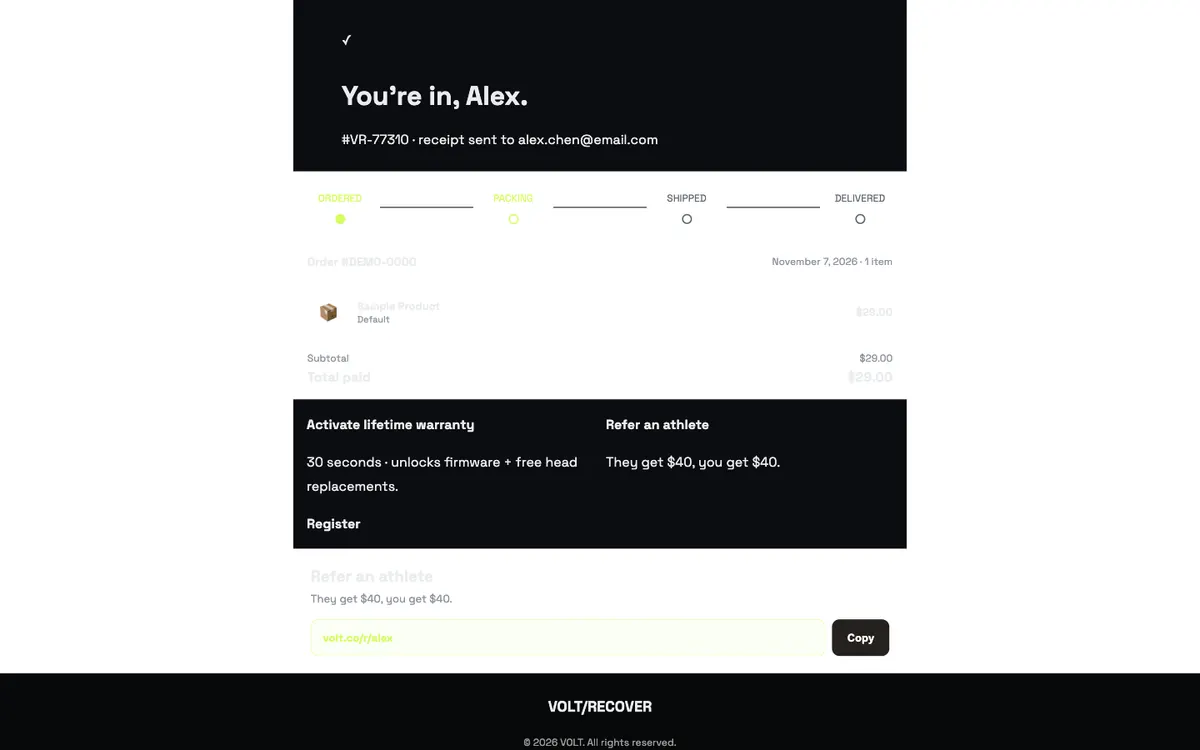
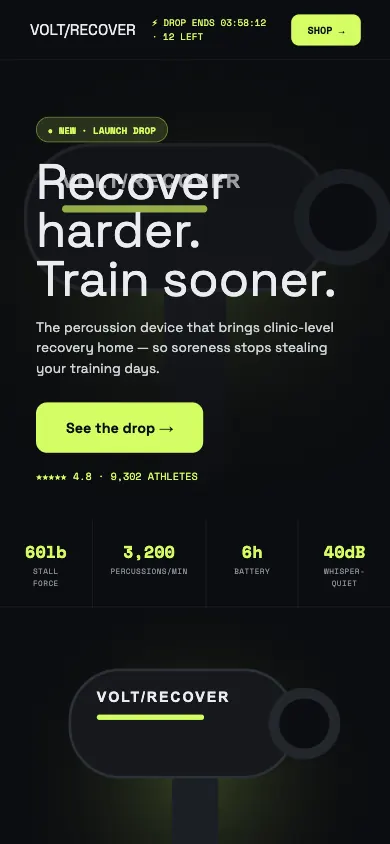
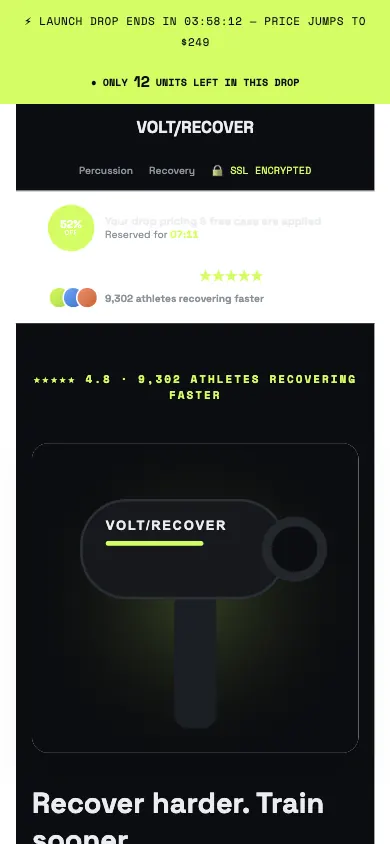
Screenshots are the pack rendered by the Autonnel page renderer with its default sample content, before any store is connected. The payment block reads "Payment Not Configured" until you set up a payment provider. Product names, product artwork, prices, stock counts, ratings, reviews and press mentions in the templates are fictional placeholders that you replace with your own.
Site bar with drop countdown, media hero, stat ribbon (spec numbers), three feature bands, icon-card rows, a comparison table, review list, guarantee bar, offer callout and footer.
Dark checkout: launch-drop countdown bar, scarcity meter, hero, kit selector (Single, Duo, Team), pre-applied coupon, PayPal express, details form, payment, trust badge row, order summary with free gear, benefit checklist and a three-up review grid.
A members-only add-on with price-comparison columns and a one-click add-to-order button.
Confirmation with an order progress tracker, live order detail, warranty and referral cards and a referral copy card.
After purchase, install with the CLI (see CLI install):
npx autonnel install @autonnel/template-voltThen register it in astro.config:
import { templateVoltPlugin } from '@autonnel/template-volt';

autonnel({ plugins: [templateVoltPlugin()] })
The four templates then appear in the page-create picker under the Funnel section.
Four page templates: a landing page (page type CUSTOM, default slug lp-volt), a checkout (CHECKOUT, checkout-volt), a one-click upsell (UPSELL, upsell-volt) and a thank-you page (THANKYOU, thank-you-volt). Each one is generated as editable Puck page data, not a locked layout.
Buy it once, run npx autonnel install @autonnel/template-volt, then add templateVoltPlugin() to the plugins array of autonnel() in astro.config. The CLI prints the exact snippet and never edits your config itself. After a rebuild the templates show up in the page-create picker under Funnel.
Yes, once you bind it. Bind the kit selector to a real product with one variant per kit before going live. Payment methods appear after a payment provider is configured in your Autonnel settings.
No. They are sample copy that shows where social proof and scarcity blocks go. Replace them with your own reviews and real numbers, or delete the blocks, before you publish.
The pack declares autonnel >=0.1.0 and only uses public plugin APIs: it contributes namespaced templates and blocks and reuses core blocks, which the host validates when the plugin loads.